
How to Read Appliance Parts Diagrams: A 2026 Guide
Posted by Editorial Team on
Table of Contents
- Why Appliance Parts Diagrams Save You Money on Repairs
- What You'll Need Before You Start
- Step 1: How to Find Your Appliance Model Number
- Step 2: Locating the Right Appliance Exploded Parts Diagram
- Step 3: Reading Exploded Diagram Numbers, Symbols and Assembly Boundaries
- Step 4: Appliance Part Number Lookup and Ordering the Right Component
- Step 5: How to Check Appliance Part Compatibility Before You Buy
- Common Mistakes to Avoid When Reading Parts Diagrams
- Frequently Asked Questions
Last Updated: October 13, 2026
Why Appliance Parts Diagrams Save You Money on Repairs
Learning how to read appliance parts diagrams is the difference between a $40 fix and a $400 replacement.
A parts diagram is a drawing of your appliance with every part numbered and named. It shows you what sits where, what connects to what, and what the part is called.
Skip the diagram and you guess. Guess wrong and you pay for return shipping, wait another week, and still have a broken fridge.
What a Parts Diagram Actually Shows You
Three things, and each one solves a different problem:
- Position numbers that point to every part in the assembly
- Part names and descriptions so you can describe what broke
- Assembly boundaries that group parts into sections like the door, the pump, or the control panel
Parts Diagram vs Wiring Schematic vs Installation Diagram
These get mixed up constantly, and mixing them up wastes time.
An exploded diagram shows physical parts and how they fit together. A wiring schematic shows electrical paths, using symbols instead of pictures.
For buying a spare part, you want the exploded view. The schematic tells you why the part failed. The exploded view tells you which part to order.
What You'll Need Before You Start
Gather these first. It takes five minutes and saves an hour.
- Your appliance's model number and serial number
- A torch and a phone camera for dark corners
- The diagram itself, either printed or on a screen
A common mistake is starting the search without the model number. Every diagram is model-specific, so without it you are browsing a catalogue blind.
Step 1: How to Find Your Appliance Model Number
Your model number is the key to everything. Without it, no diagram will match your machine.
Knowing how to find appliance model number details takes two minutes once you know where to look. The number is usually on a sticker or metal plate, not on the front panel.
Where to Look on Fridges, Washing Machines and Ovens
- Fridges: inside the fresh food compartment, on a side wall or the ceiling, or behind the crisper drawers
- Washing machines: inside the door opening, on the rim, or on the back panel
- Ovens: on the frame behind the door, or on the rear panel
Write down both the model number and the serial number. If there is a product number write that down too. The serial number tells you when the unit was built, which matters for later revisions. The full product number can also point to a specific revision.
Step 2: Locating the Right Appliance Exploded Parts Diagram
An appliance exploded parts diagram is only useful if it matches your exact model. The good news is that most manufacturers publish them free.
Search the manufacturer's site first, then use a parts supplier's catalogue. Both list diagrams by model number. If your model is discontinued, the diagram usually still exists, but the parts may not.
Matching Model Variants, Revision Codes and Serial Number Ranges
This is the part most people skip, and it costs them.
One appliance family can have several variants. A product code or a serial number range tells you which version you own. Two machines can look identical and use different door switches.
Check these before ordering:
- The full model number, including any letters after the digits
- Any revision code or product number (PNC) printed near the model number
- Your serial number, to confirm which production run you have
If the diagram lists multiple part numbers for the same position, the serial number range tells you which one is yours.
Step 3: Reading Exploded Diagram Numbers, Symbols and Assembly Boundaries
Reading a diagram comes down to one loop: find the number linked to the part you need, follow it to the parts list, confirm the part number. Repeat until you have your answer.
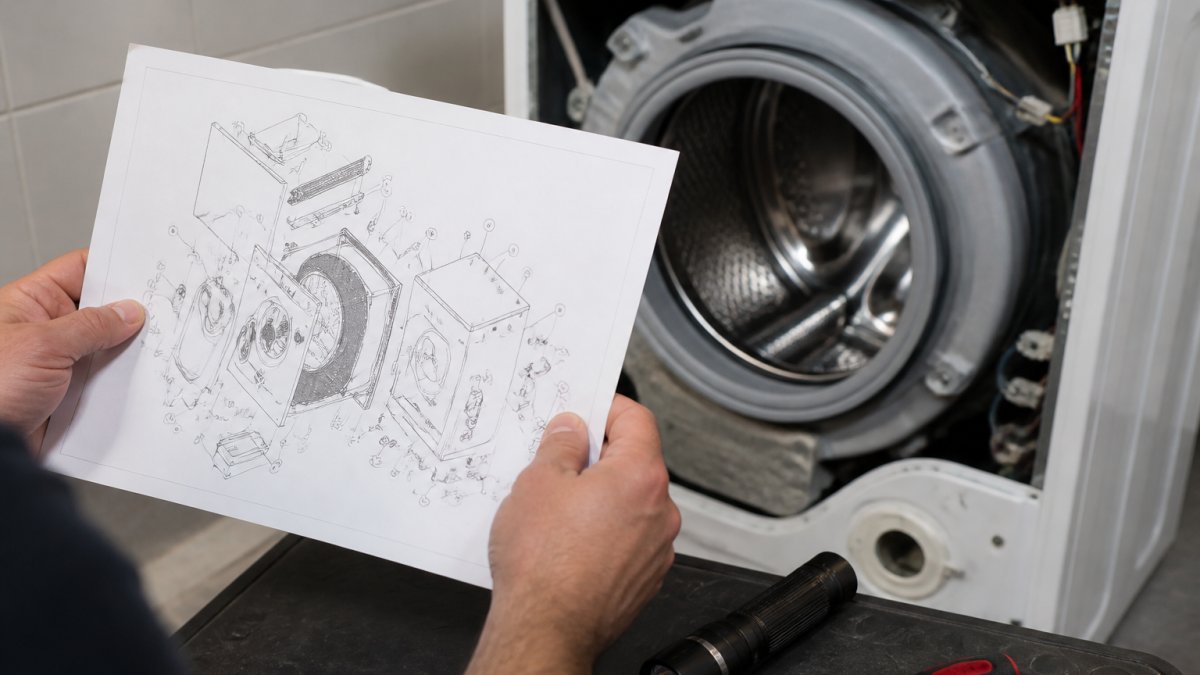
A Worked Example: From Exploded Diagram Number to Part Number
Take a typical washing machine door assembly. On the main exploded view you see a circle with the number 12 sitting on the door hinge. Here is the loop in practice:
- Find the number on the exploded diagram. The circled 12 is the position number. It is not the part number, and treating it as one is the single most common beginner error.
- Scan the parts list for row 12. The list is usually sorted by position number, so row 12 sits near the top of the door section.
- Read across the row. You will typically see four columns: position number, description, part number, and quantity. The description might read "Hinge, door, lower" and the part number might look like a string of digits with a letter suffix.
- Confirm the quantity. If the row says 2, you need two, even though the diagram only shows one hinge because the other is hidden behind it.
- Copy the part number exactly. Include every dash, space, and letter. A dropped suffix is a different part.
That is the whole skill. Everything else on the drawing is context that helps you find the right part you need faster.
What the Symbols and Line Styles Mean
Manufacturers use a fairly consistent visual shorthand. Once you recognise it, the drawing stops looking like noise:
- Solid outlines show a part as it exists in the real appliance.
- Dashed lines show how parts fit together, where a subassembly attaches, or a path that is hidden behind another component.
- Centre lines (long dash, short dash) mark an axis of symmetry, such as the centre of a drum or a motor shaft.
How Subassemblies Nest Inside the Main Diagram
Subassemblies work the same way as parts, but at a higher level. A door assembly might be one callout on the main diagram, then break into its own diagram with its own numbers.
A useful habit: when a number on the main diagram has no obvious matching row in the parts list, check whether it is actually a subassembly reference.
Reading a Parts List Alongside the Diagram
The diagram and the parts list are two halves of one document. The diagram tells you where a part sits and what it looks like. The list tells you what it is called and what number to order.
When you are working through a repair, keep both in view. Point at the callout on the drawing, then run your finger across the matching row in the list.
Step 4: Appliance Part Number Lookup and Ordering the Right Component
An appliance part number lookup is simple once you have the number from the parts list. Copy it exactly, including any dashes or letters.
Then check three things before you buy:
- The part number matches the diagram for your model
- The description matches the part you are replacing
- The supplier confirms it fits your model, not just the brand
If a number returns nothing, the part may be superseded. Manufacturers replace old numbers with new ones, and a good supplier will tell you the current number.
Step 5: How to Check Appliance Part Compatibility Before You Buy
Knowing how to check appliance part compatibility saves you the cost of a wrong order. Compatibility comes down to three checks, but the reason each one matters is where most guides stop short.
First, confirm the part number appears in your model's parts list. Second, confirm the revision code matches. Third, ask the supplier to verify the fit against your model and serial number.
|
Check |
What to Confirm |
Why It Matters |
|---|---|---|
|
Model number |
Full number, including letters |
Diagrams are model-specific |
|
Revision code or PNC |
Matches your unit |
Variants use different parts |
|
Serial range |
Falls in the listed range |
Confirms the correct part number |
|
Part number |
Appears in your parts list |
Rules out superseded numbers |
Why Two Identical-Looking Appliances Use Different Parts
Manufacturers revise appliances mid-production without changing the model name. A hinge, a door switch, or a control board can change between production runs while the outside of the machine looks identical. The revision code and the serial number range are how the manufacturer tells those runs apart, and they are how the parts diagram tells you which part number is yours.
This is why ordering by appearance fails. A part that looks right can be the wrong revision, and it will not fit.
Superseded Part Numbers: When the Number You Found Returns Nothing
If a part number returns no results, the part may be superseded. Manufacturers replace old numbers with new ones as components are updated, and the old number is retired from catalogues.
The trap is assuming a blank result means the part no longer exists. More often, it means the number has moved. Search the description as well as the number, and check whether the diagram you are using predates the supersession.
The Three Compatibility Questions to Ask Before You Pay
- Does this part number appear in the parts list for my exact model and revision? If it only appears in a similar model's list, stop.
- Is this number current, or has it been superseded? Ask the supplier to confirm the replacement number if the original returns nothing.
- Does the supplier verify against my serial number, not just my model? Serial number is what separates two visually identical variants.
This is where a supplier with real technical knowledge earns their keep. At Allfix Electrical, our team provides expert technical assistance for finding the right components, which is why we have kept customers coming back for four decades.
When to Stop and Seek Qualified Help
Some compatibility questions cannot be resolved from a diagram alone, particularly where a fault could involve the electrical supply, a sealed refrigeration circuit, or a gas connection. If the diagnosis points to those areas, or if you are unsure whether a part is safe to replace yourself, stop and engage a licensed technician. Diagrams are a buying tool and a diagnostic aid, not a substitute for the qualifications those jobs require.
Common Mistakes to Avoid When Reading Parts Diagrams
The same errors show up again and again.
- Ordering by appearance. A part that looks right can be the wrong revision.
- Using the wrong diagram. A similar model number is not your model number.
- Skipping the subassembly. The part you need may sit on a second diagram.
Get these right and most repairs become a straightforward part swap. Get them wrong and you are back to guessing, which is exactly what the diagram exists to prevent.
Frequently Asked Questions
What do the numbers on an appliance parts diagram mean?
The numbers on an appliance parts diagram are callout numbers. Each one points to a specific component in the exploded view and matches a row in the parts list beside it. That row gives you the part name, description and part number you need to order. Some diagrams also use position numbers to show the order components sit in during assembly, which helps when you are working out how a subassembly fits together.
How do you match a diagram part to a spare part number?
Find the callout number on the exploded view, then look up that same number in the parts list. The row will show the part name and its part number. Check that the part number applies to your exact model, because manufacturers often use the same diagram across several variants. If the parts list shows more than one part number for the same callout, your serial number range or revision code decides which one fits.
What is the difference between an appliance parts diagram and a wiring diagram?
A parts diagram shows physical components in an exploded view so you can identify and order a replacement part. A wiring schematic shows electrical connections, wire colours and component symbols so you can trace a fault. You use a parts diagram when you know what is broken and need to buy it. You use a wiring schematic when you need to diagnose why something is not working before you order anything.
How can you check whether a replacement part is compatible with your appliance?
Start with your full model number, not just the brand or series name. Cross-check the part number against the parts list for that exact model, then confirm any revision code or serial number range listed. If a supplier lists a part as fitting multiple models, verify your model appears in that list. When a diagram is unclear or low resolution, contact the supplier with your model and serial number before ordering.
A broken appliance never picks a good time, and waiting weeks for the wrong part makes it worse. Allfix Electrical keeps an extensive inventory of parts for major and minor appliances, offers fast handling on most orders, and gives you expert technical help to confirm the right component before you buy. Search our catalogue or get in touch with our team, and we will help you find the part that fits.
Share this post
- 0 comment
- Tags: appliance exploded parts diagram, appliance part number lookup, appliance parts diagrams, how to check appliance part compatibility, how to find appliance model number, how to read appliance parts diagrams
0 comment